
6.1. Distributor: Review and Take Action on a Claim Submitted by Installation Shop
This guide provides step-by-step instructions for distributors on how to review and take action on a claim submitted by an installation shop. It covers everything from reviewing the claim details to requesting additional information, passing the claim to STEK HQ, approving/rejecting compensation, and viewing claim history.
Click "View Claims" under Product Claims.

Select the claim and click "View claim" to see more details.

Review the details of the claim.

Take action by selecting from the dropdown list.

If additional information is needed from the installation shop regarding the claim, select the status "Missing Information".

Specify the additional information that the installation shop should provide.

Click "Submit"

The claim status has been updated to "Requested Missing Information".

After the installation shop has provided the additional information, review it.

The additional information (photo) has been provided.

If there is sufficient information, change the Claim Status.

Select the status "Under Review" from the dropdown list if you need more time to analyze the claim.

Choose whether to pass the claim to STEK HQ or not.

Enter a comment for the installation shop and click "Submit".

The claim status has been updated to "Under Review".

After finishing the analysis of the claim, change the Claim Status.

If you have decided to provide compensation to the installation shop, select "Approve Compensation" from the dropdown list.

Choose whether to involve STEK HQ or not.

Select the type of compensation for the installation shop.

Click "Submit"
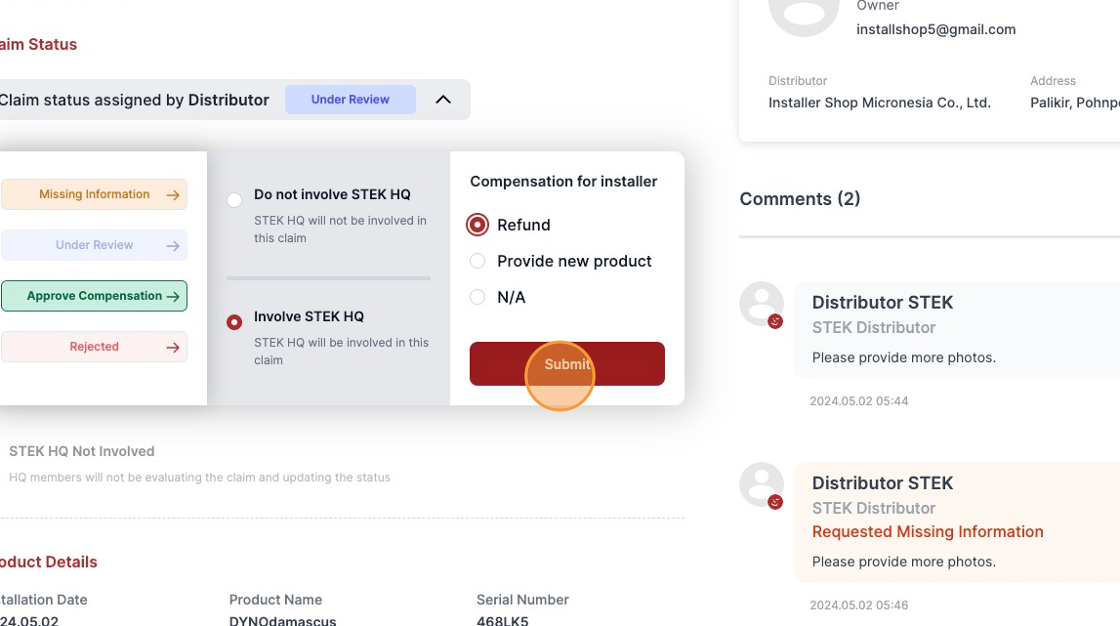
The claim status for the installation shop has been updated to "Approved | Refund".

To view the claim history, click on "Logs".

View the logs.
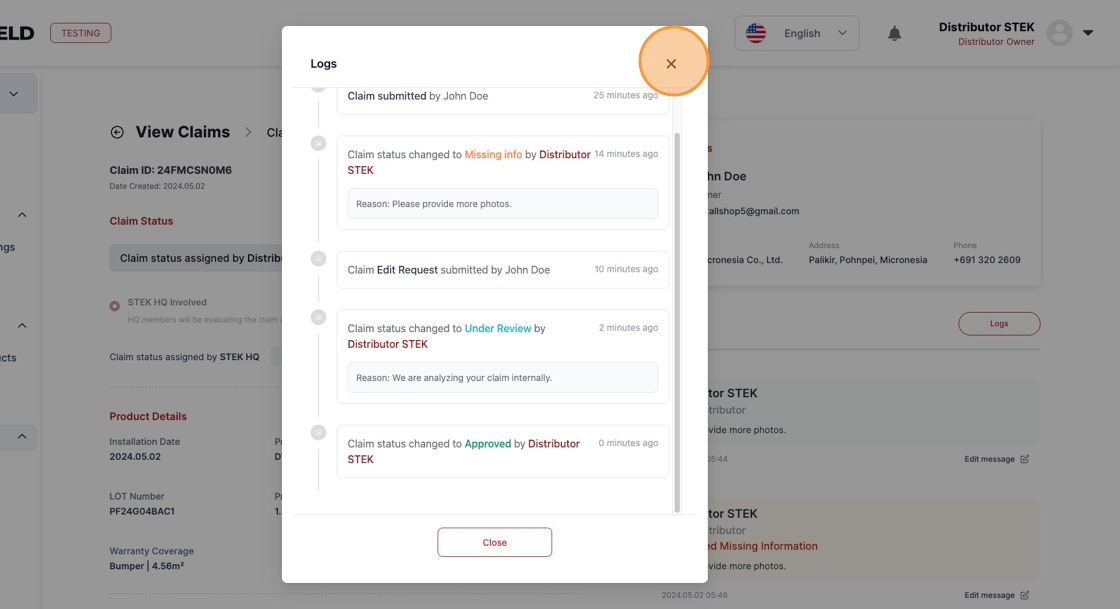
The claim status for the distributor is "Under Review" because it has been passed to STEK HQ, where it is currently under review. Once STEK HQ makes a decision on the claim, the status will be updated.
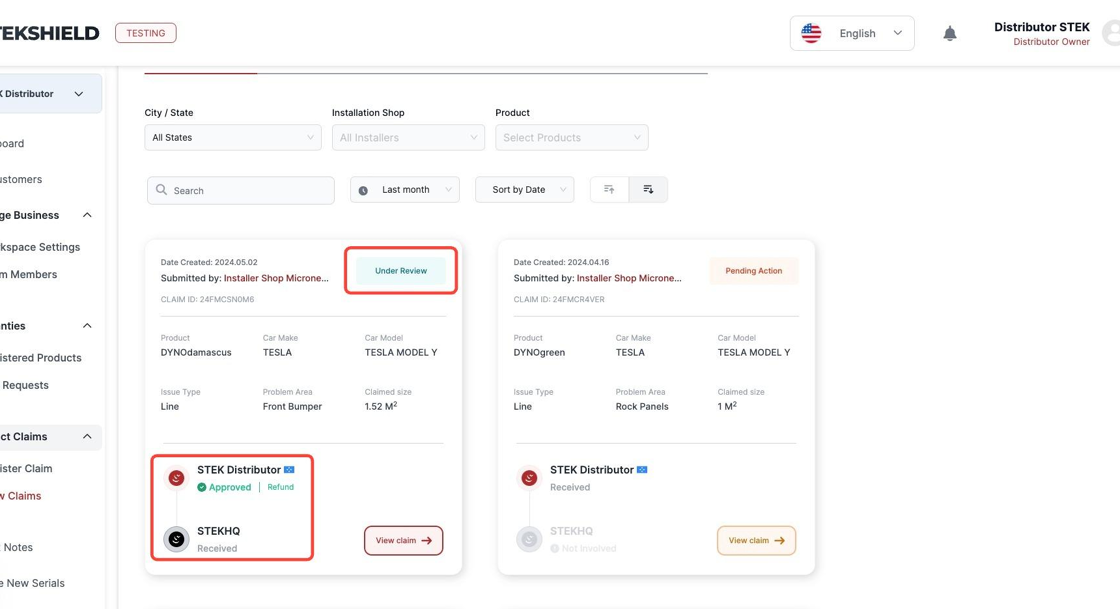
After STEK HQ has made a decision on the claim, the claim status is updated to "Approved".

Click "View claim" to see more details.

The claim status assigned by STEK HQ is "Approved | Refund".

To view the credit note issued by STEK HQ for the claim, click on "Credit Notes".

Click "See details" to open the credit note.
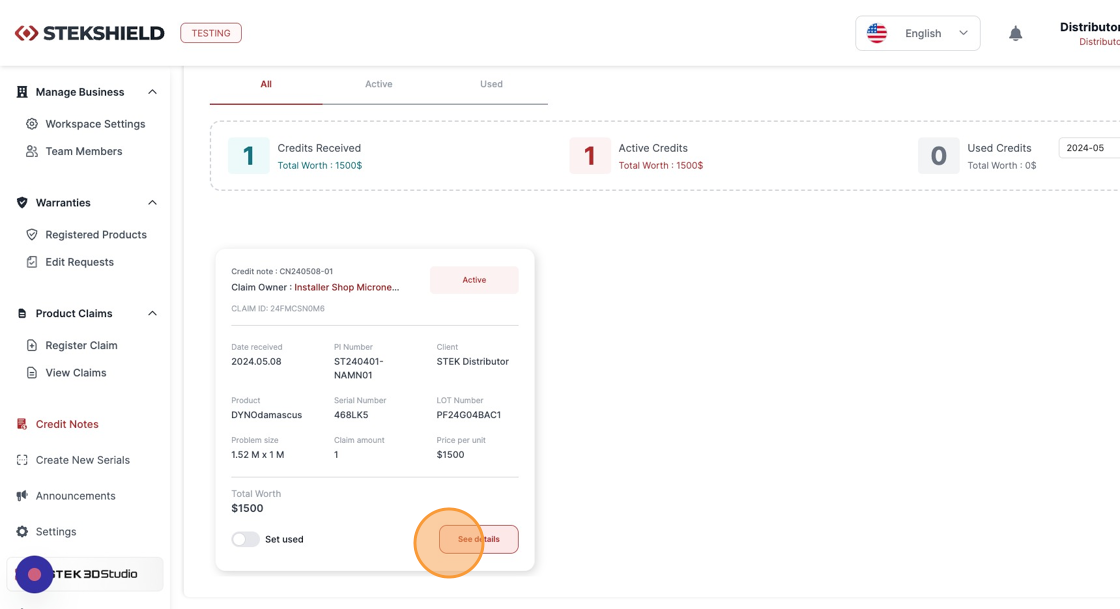
Review the credit note.

Was this article helpful?
That’s Great!
Thank you for your feedback
Sorry! We couldn't be helpful
Thank you for your feedback
Feedback sent
We appreciate your effort and will try to fix the article